A Typical Day of a Tester in an Agile Pod : Guest Blog

I am glad to share that a guest post I wrote for The Test Tribe website has now been published.

I was approached by the team to contribute to their valuable and rich content library where they publish articles, how to’s, insights on testing topics, case studies and upskilling posts for their vast testing community.

I wrote about the life of a tester in an Agile Pod and how it might be different from a traditional tester. We follow a typical day of Ted, our protagonist who is a tester in an agile pod team. We see how he spends his day working with his developers, product owner and other stakeholders along with balancing his duties as a pod leader. Read the article here to follow along on his exciting journey–>

I am happy to be associated with The Test Tribe community and the great work they are doing!

Grateful for this opportunity and always looking ahead for more! 🙂

Cheers

Nishi

A Beginner’s Guide to Web Application Testing

As we know that web apps are becoming more complex, testing them is also getting equally sophisticated. The stats show that 88% of online buyers are less likely to repeat the orders if the website has bad UI/UX. Hence, it is important to perform thorough testing of web apps to ensure that it has standardized user experience, functions, and security.

For the testing process, there are many automation testing tools available along with manual testing tools. Automation tools help in reducing the risk of making human errors while testing any system and also enhance the accurate consistency of the test results. In this article, we will see more about top web app testing tools to learn in 2023. So, let’s dive in!

What is Web App Testing?

Web app testing, or web testing is a process in the SDLC that ensures that the quality of the software and its functionalities are as per the intended requirements of the clients.

The web app testing process also allows you to find errors at any given time before the app or project is released.

Testing any project is quite important before it is released for users to use it. If it is not checked and tested properly, it might cause a heavy crash of that software and also cost you a hefty money expense.

To make the testing process easier, we rely on web app testing tools – that may be open source (free to use) or commercial (paid tools). There might be pros and cons to using each of these, the decision you make regarding the tools to be used is based on your team’s need, budget and resources.

Pros and Cons of Open Source Testing Tools

ProsCons
The primary advantage of having an open-source testing tool is the cost of entry. Open-source tools like Selenium can be used free of cost.
If your team is working with a client who is cost conscious, using free tools is an amazing alternative.
Another benefit is the flexibility that testers can get by using open-source tools. Some tools have a large user community behind them. And there are some cool libraries too that can be used easily.
Moreover, open-source tools also support different languages. For instance, Selenium offers support for different languages like Python, Java, C#, etc.
The foremost disadvantage of open source testing tools is the technical barrier of entry.

Quality is also an underrated con of continuing with different open source testing tools.

If you are the leader of the testing team who does not have any automation professionals, then open source testing tools can develop some problems. In such cases, a commercial testing tool is a better option.

Pros and Cons of Commercial Testing Tools

ProsCons
There are various advantages of Commercial testing tools, that is you do not need a robust in-house skill set to start and run. Different commercial tools use in-built workflows that can make striking the ground off much smoother.

Commercial testing tools also have in-built support and documentation that is huge. There is much documentation available in a well-written format which is easy to use for testers.
 
High team support is also an advantage of commercial testing tools. You can contact the team managing the tool, in case of any emergency arises while using the tool.

The in-built feature of reporting present in commercial testing tools is also considered as their main advantage. However, the custom reporting feature of open source tools is also useful.
One of the main disadvantages of using commercial testing tools is its cost. These tools are prohibitively expensive and users need to pay subscription rates to use them.
Either annually or monthly fees have to be paid for using the tool.

These tools are not flexible like open-source testing tools. Hence these tools are only used while testing particular tasks. If you try to test things that are out of the box for commercial tools, it may drastically fail.

Here we will discuss the best tools available for web app testing. These tools will help you find the hidden bugs and process them further until they are removed.

Web Application testing tools

Let’s discuss the list of top web app testing tools that are trending at the current time:

Selenium

It is an open-source web automation testing tool and is the most widely used tool in the modern era of critical testing. Selenium is one of the best tools which automates across different OSs like Mac, Linux, and Windows and also on browsers like Chrome, Firefox, IT, etc.

The test script of Selenium can be written in any programming language like Java, Python, C#, Ruby, PHP, JS, and Perl. This tool also offers record & playback features with a simple browser add-on named Selenium IDE. There’s a POWERFUL Selenium WebDriver that helps you develop more advanced and complex automation testing scripts.

Here are some features of Selenium:

  • It has multi-browser support
  • Selenium provides multi-language compatibility
  • Quick identification of errors and use of quality web elements
  • Good performance feature
  • It also provides dynamic web elements for the use
  • Selenium is open-source and free to use
  • It is portable, which means it works easily with different OSs
  • It also has a reusability feature for testing scripts

Katalon Platform

Katalon is a comprehensive automation solution for Web, API, Desktop, and Mobile app testing. With a strong user base of more than 0.5 million, both experienced and beginners test engineers can relish its practical and versatile features for an easy testing process.

Integration platforms: Azure DevOps, BrowserStack, Circle CI, etc.

Supported Platforms: Linux, Windows, MacOS

It also provides a 30-day free trial.

Here are the features of the Katalon Platform:

  • It is flexible in testing design. Beginners in automation testing can use playback and record functions for making tests quickly. While the experts can use in-built keywords for improved productivity along with advanced scripting capacities.
  • Easy selenium migration is possible with TestNG/JUnit framework
  • It can execute powerful tests and has cross-browser automation tests along with CI/CD pipeline integrations.
  • It supports testing methodologies like Page Object Model Testing, Keyword-Driven testing, TDD/BDD testing, etc.
  • It reduces test maintenance effort and cost
  • You also get a centralized report dashboard

Testpad

Testpad tool is a simple and more accessible manual testing tool that is a good option for testing web apps. It prioritizes pragmatism over the process and uses checklists like test planning that can be in the form of various ranges of styles like Agile’s manual testing side, exploratory testing, BDD syntax highlights, and also traditional test case management.

Integration platforms: Jira, GitHub, Pivotal, etc.

Supported Platforms: Linux, Windows, Web apps, etc.

It also provides a 30-day free trial.

Here are the key features of the Textpad tool:

  • Guest testers are invited by a simple email, and they do not need special accounts to handle the testing process
  • Simple to use even by non-testing professionals. Everyone can help in the testing process when required
  • It has drag and drop feature for test plans
  • There’s an editor that is Keyboard-driven with JS-powered UI
  • It is a lightweight tool with issue trackers and JIRA

Intruder

intruder is also a powerful error scanner that will assist you to uncover different weaknesses lurking in the web apps and underlying infrastructure. It offers powerful security checks, timely and continuous monitoring, and also it is an easy-to-use tool. Intruder tools will keep your web app safe from hackers.

Integration platforms: GitHub, ServiceNow, Slack, Teams, etc.

Supported Platforms: Windows

It also provides a 14-day free trial.

Here are the features of Intruder:

  • It has best-in-class coverage of threats that covers over 10,000 security checks
  • It checks for missing patches, configuration weaknesses, and app weaknesses like SQL injection, Cross-site scripting, etc.
  • Automatic prioritization and analysis of scan results
  • Automatic analysis and priority of scan results
  • It has an intuitive interface, easy to set up and execute your scans
  • It takes proactive security testing for modern vulnerabilities
  • AWS, Google Cloud, Azure connectors
  • API integration is easy with CI/CD pipeline while using this tool

testRigor

This tool assists you to express the tests directly as executable specifications are made in English. Users belonging to different technical firms can develop a full test case, small/medium/complex which converts web, mobile, and API in one test. Test steps are made as per the end-user level instead of just relying on details of XPaths, and CSS Selectors.

Integration platforms: TestRail, Zephyr, XRay, Jira, etc.

Supported Platforms: Windows, iOS, MacOS

It also provides a 14-day free trial.

Here are the features of testRigor:

  • It has a free-forever public version
  • Test cases are made in English
  • Recorder facility for web steps
  • Unlimited tests and unlimited users
  • testRigor is the easiest tool to learn automation
  • Easy integration with CI/CD
  • Helps in test case management
  • SMS & Email testing
  • Web, Mobile, and API steps in the test

Many More

The list is endless with fantastic tools like QA Wolf, TestSigma, and many more.. You can pick the one you like and that fits the needs of your team and project.

Final words

There are many web app testing tools present in the market that can greatly change the effectiveness and efficiency of the testing process. These tools ultimately offer a huge range of features and expertise that allows you to conduct comprehensive testing and ensures that the reliability and quality of your web app are not compromised.

Selenium is a well-known tool amongst testers as it is versatile and robust to use. The ability to automate the browser functions and support various programming languages makes it an easily flexible and suitable tool in many scenarios.

Moreover, tools like TestComplete, Appium, SoapUI, etc., are worth considering and depend on your particular testing needs. The final choice of picking any web application testing tool will depend on your needs, budget, and expertise. By using any of these top tools, one can streamline the testing process, search for bugs, solve them, and finally deliver high-quality web apps which provide a beautiful user experience.

<This is a Guest Post by Colin Rooney>

<Author Bio: Colin Rooney is a Technical Consultant at a reputed web development company. He has expertise in developing enterprise level web applications in various domains such  as PHP, Laravel, magento and React JS. He loves to share his bylines through blogs. You can find his blogs on many famous websites.>

Agile Testing Strategies for Successful Software Development

Agile software development has become the modern gold standard in programming and tech innovation. Known for its dynamic and flexible methodology, Agile is rooted in customer satisfaction, consistent delivery, teamwork, and the capacity to adapt to changes.

However, central to the Agile methodology is a component that often goes unappreciated – testing.

No matter how elegant or efficient the code is, thorough testing is necessary for it to succeed. This post will dive into the critical role of testing within Agile, demonstrating how it aligns with programming & source control best practices, such as using Git, implementing effective web development strategies, and leveraging Azure. By exploring various testing strategies, we aim to shine a light on enhancing your software development process for success.

Understanding Agile Testing

Agile testing is a critical part of the Agile methodology. Unlike traditional testing methods, it is integrated into every stage of development rather than being a separate phase. This approach ensures that issues are identified and resolved quickly, facilitating a smoother development process.

The key principles of Agile testing include:

  1. Continuous Testing: Test early; test often. Agile testing happens continuously throughout the development process.
  2. Team Involvement: Everyone on the Agile team participates in testing, not just designated testers.
  3. Feedback and Improvement: Agile testing thrives on feedback, adapting, and improving as the project progresses.

Unlike traditional testing methods that usually occur after coding is complete, Agile testing runs concurrently with development. This continuous, intertwined process allows for rapid adjustments, reduces bug accumulation, and ensures that the final product aligns more closely with user needs. Agile testing’s essence is flexibility, frequent communication, and adaptability, instrumental to successful software development.

Agile Testing Strategies

Navigating the dynamic waters of Agile software development requires robust, adaptable testing strategies. These methods facilitate quality assurance, swift error detection, and effective communication, all while keeping the user’s needs at the forefront.

Read More »

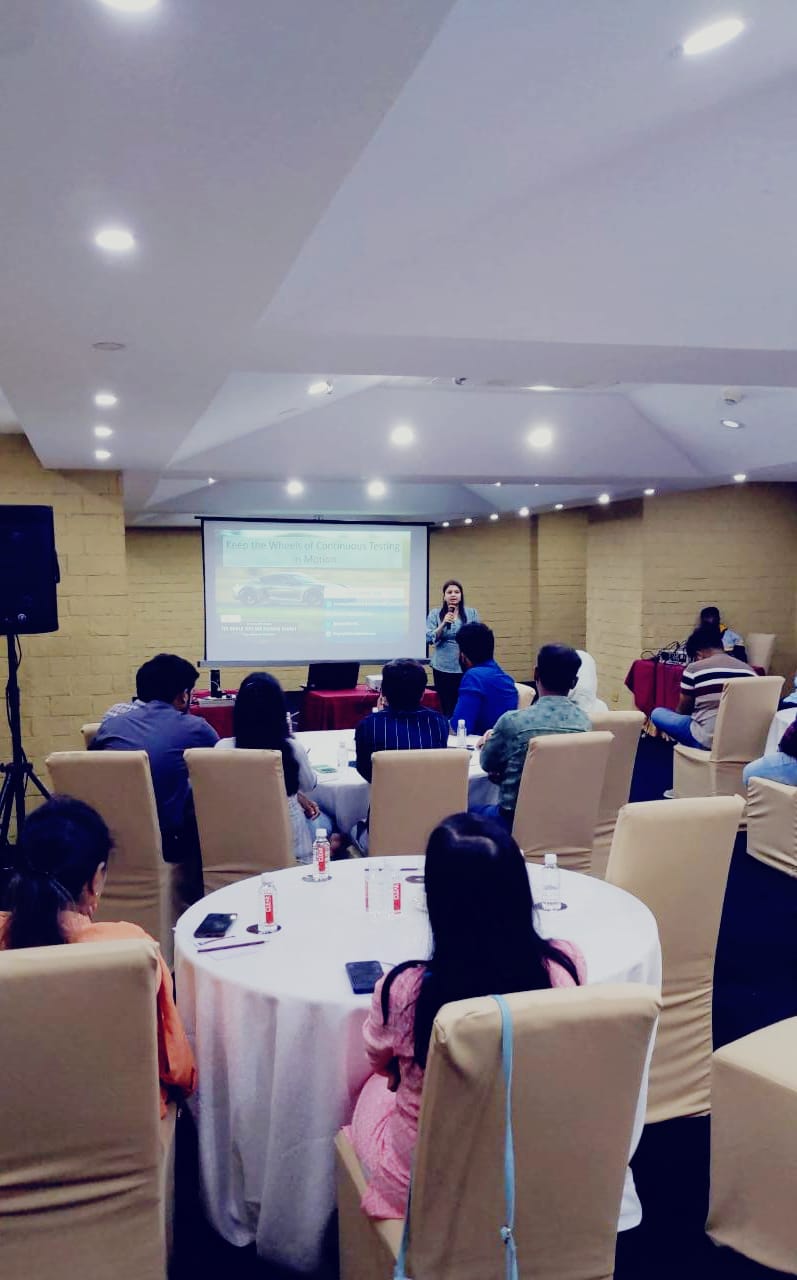
My experience speaking at World Test Engineering Summit (in-person, Bangalore)

It has been a while since I have made it to an in-person event. So, this one was extra special.

Though, a very busy week (or perhaps month 😛 ) left little time to prepare for my talk, I was excited for the day and to present in person, network and meet people at the conference. And the day matched my expectations!

It was really fun presenting to such an engaged crowd and I was amazed at the response and feedback I received during and after the session! There were some great discussions, very keen participants sharing their own stories & experiences and many fantastic comments by the delegates.

My Topic was – “Keep the Wheels of Continuous Testing in Motion”

Here are the details of the event and my session

The event was also a great platform to meet people and teams from esteemed organisations. I spent time chatting with very talented people and made some great connections.

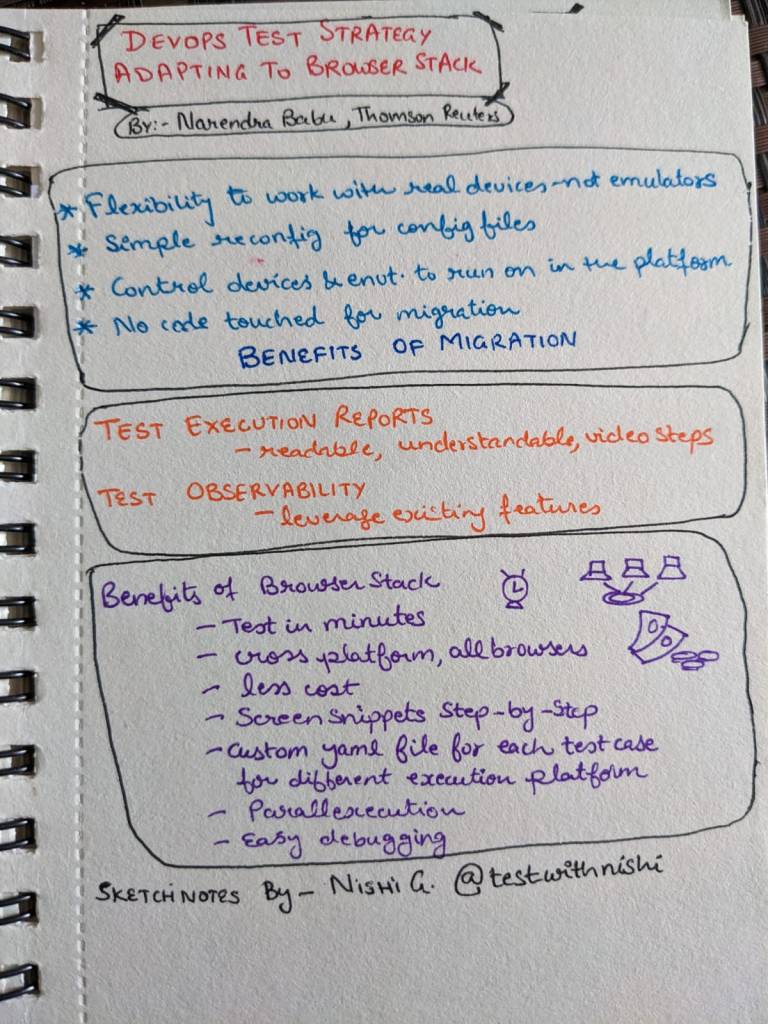
I also took this opportunity to dust off my Sketch notes pad 🙂 I made sketchnotes for some interesting sessions of the day.

I thank 1point21GWS team for having me as a part of this esteemed speaker panel.

I am always grateful for opportunities like this and always look forward to more such days!

Happy Testing!

Nishi

I am speaking at ‘The World Test Engineering Summit’, Bangalore

I am glad to announce that I will be speaking at the 7th World Test Engineering Summit happening in Bangalore this month! And, this will be my first in-person conference since 2020, so I am even more excited for it!

The event will deliver in-depth content targeted at architects, developers, testers, integrators and managers by offering lectures and technical session to share expertise on the latest technologies, trends, tips and techniques. It is a great opportunity to present, learn, and challenge modern testing technologies and strategies!

This conference is split into two days with the first day being focused on Quality Assurance, Microservices and Serverless while Day 2 will focus on Agile Testing, Test Automation and Technology.

Here are the details of the conference and the schedule.

Check out the topic of my talk and the details on 23rd June.

Topic : Keep the Wheels of Continuous Testing in Motion

Description : Continuous testing is the way toward continuous delivery. Software teams must strive for continuous improvement of their continuous testing strategy. The key there is to embrace the continuity.The constant pressure of ‘speed to market’ needs testing to evolve and adapt. The factors that can help to keep the wheel of continuous testing in motion are both external and internal. Testers look outwards for priorities, collaboration and transparency; while they look inwards to reimagine processes, templatize lightweight documentation and recreate their own way of life in the testing world! Let us discuss ways we can plan, strategise and conduct software testing that befits continuous software delivery.

My experience as a Panel speaker @LeadDev webinar

I was invited by @LeadDev organisation to be a part of a webinar where we had a panel discussion on “Building a better testing culture“. I was elated to be a part of this great group pf panelists alongside Thayse Onofrio from Thoughtworks and Marcus Merrell from Saucelabs. We had a spirited and interesting discussion and shared some meaningful ideas on the topic. I would also like to thank our host Amanda Sopkin for her really on-the-nail questions and for directing the conversation, and our organiser Olivia Christian for inviting me and for her support throughout the event!

The webinar panel was live, lasted for 45 minutes and then we had some time for Q&A. There were some great questions and discussions over the LeadDev slack channel as well.

Here is a bit more insight into the event-

The world of software testing is changing under the pressure of ‘speed to market’. The pressure to quickly get products to market means we are starting to see a significant shift towards automated tests during development. This will likely cause socio-technical complexities for orgs and teams currently involved in testing.

In order to be successful through these changes, orgs will need to have a clear strategy and processes in place that will ensure testing is a vital part of the delivery process. In this new age of testing, how can engineering leaders prevent pitfalls such as friction between teams, a culture of blame, and outdated processes?

In this panel, we examined how shift affects traditional testing set-ups, covering what a healthy testing culture looks like and how to avoid the anti-patterns that lead to uncommunicative teams and project bottlenecks. We explored how engineering teams can best work together and how to encourage a shared vision of quality and the importance of efficient and effective tests.

Key takeaways

  • Define clear roles and responsibilities for quality and testing in your org 
  • Encourage QA to be seen as necessary, rather than inhibiting release times 
  • Understand which tests to automate, and which to not

About LeadDev

LeadDev is a community of software engineering leaders that come together to learn and get inspired on all things team, tech, process, and personal development. 

LeadDev has become an essential destination for anyone in tech and engineering who wants to scale themselves and create impact. They provide a range of content that includes articles, thematic content series, video talks and panel discussions, written and delivered by the best voices in engineering.You can register a free LeadDev.com account to gain access to our free engineering leadership content, free online events and our weekly email newsletter. 

I am Speaking @ LeadDev Webinar Panel – Dec 14th

I am super glad to announce that I have been invited by the LeadDev team as a Panel speaker in the upcoming Webinar on “Building a better Testing culture”

The webinar will be held on 14th December at 10.15 PM IST. Details for registration can be found here https://leaddev.com/events/building-better-testing-culture

I am thrilled to be a part of this amazing group of panelists and chat about building amazing teams and a great team culture in this new age of testing. We will be covering what a healthy testing culture looks like and how to avoid the anti-patterns that lead to uncommunicative teams and project bottlenecks!

To top it all, this is a free event!! So, you can register a free LeadDev.com account to secure your place. Not only this, your account will give you access to our free engineering leadership content, free online events and our weekly email newsletter. 

Register here now to attend this awesome event and become a part of this amazing LeadDev Community!

See you there!

How to Decide if You Should Automate a Test Case

Test automation is imperative for the fast-paced agile projects of today. Testers need to continuously plan, design and execute automated tests to ensure the quality of the software. But the most important task is to decide what to automate first.

In my article published on the TestRail Quality Hub, I have compiled & shared a list of questions to help you prioritise what you should automate next and guide your test automation strategy.

Here is a checklist of questions to ask yourself as you decide on automating a Test Case–

*******

Is the test going to be repeated?

Is it a high-priority feature? 

Do you need to run the test with multiple datasets or paths? 

Is it a Regression or Smoke Test?

Does this automation lie within the feasibility of your chosen test automation tool?

Is the area of your app that this is testing prone to change?

Is it a Random Negative Test?

Can these tests be executed in parallel, or only in sequential order?

Are you doing it only for the reports?

********

For the detailed explanation of each of these points, read the complete article here –>

Are your Test cases really effective?

Test teams are forever designing and adding new tests, running them, and reporting results. But is your test team creating tests that are effective at finding real problems?

How do you know if your tests are actually working, and not just adding to the ever-increasing test count?

In my article published on the Testrail blog site, I discuss some ways you can gauge the effectiveness of your tests — and improve them.

Defects Found

The top and most obvious indicator of the effectiveness of your test cases is the defects you find when executing them. As you and your team execute the designed test cases, constantly ask yourself these questions:

  • Are these tests guiding me toward defects?
  • Am I finding problems with the predefined test cases? Or do I have to do more exploration before even getting close to a problem?
  • Are these tests exercising unique flows or use paths?

Metrics

You can also look at your defect lists and find related test cases for the defect logged (if you have that ability in your defect management system). This interlinking helps the team understand what test cases led to the issues found.

You can then further analyze whether that test case was created during test design or later added to the list when the issue was found.

Exploration

If your test cases are not effective, you will not find any useful bugs in test execution. That will mean most of your time is spent in unplanned exploration or ad hoc testing. So, by looking at the time spent in actual test execution versus the time spent on ad hoc testing, you can figure out the effectiveness of the test cases you designed.

If your test cases are effective, you will find issues, explore more use paths, navigate through different integrations with other features, and test different aspects of the same functionality.

If at the end of your test execution, you feel that you have not done all of that, you can infer that is because your test cases might be too simplistic or obvious, and therefore not effective enough to find any useful bugs.

History

Continue Reading here–>

3 Ways Technical Debt Can Actually Help Improve your Sprints

“Debt” is not a pleasant term. It brings to mind a burden and generates a feeling of anxiety. The same may also be true for technical debt, or the extra work that we incur while developing our software in the form of missed quality targets, pending tasks, or skipped points from our exit criteria checklists. Like monetary debt, technical debt happens when we make a decision that is quicker in the short term but will hurt us in the long term.

Though we may try our best to limit this debt, it will still happen. And while we will need to pay back the debt one day, we can also use it as a lesson to help improve ourselves and our processes. If it ultimately helps our development, it doesn’t even always have to be a bad thing.

In my article published on the Ranorex blog site, I examine three ways technical debt can actually help us improve our sprints.

Better Estimation

Though the first time incurring technical debt due to an inability to complete an activity as planned may not be pleasant, it should consequently improve the team’s estimation and planning.

Let’s say we had defined developers’ tasks for all user stories with estimated hours, along with a mandate of peer reviews being performed for all code being written. But the end of the sprint saw that though the developers marked their development tasks as done, none of the code had been peer reviewed before check-in. It could have happened due to lack of time or ownership.

The next sprint, the team then decides to have a separate sub-task for peer reviews under the development tasks, each of which is assigned to a peer with an allotted time of 30 minutes. This helps the team plan, have clarity around what tasks are pending, and see how much effort is being spent on the tasks.

So, even though you may begin to accumulate technical debt early on in your sprints, understanding the cause and having a plan of action may improve the team’s overall performance.

Sequencing and Prioritizing

If you find yourself at a point where release is a couple of sprints away and you have a number of unresolved defects, even though they are lower severity, the team may decide to reduce open defect counts for a sprint rather than adding new features. The technical debt incurred in the form of defects can urge the team to refocus and shift priorities.

Or, let’s say your team agreed to 70% automation of regression testing in the beginning of the release cycle, but after four sprints, the scripts they created are showing signs of being unmaintainable or not scalable enough. This may affect delivery in the end, so some testers may take the call of focusing full time on reworking the scripts and adding new automated tests to them, while the other testers take up functional and regression tasks.

My team once found out at the end of our fifth sprint that our developers had not been performing static analysis of their code or creating the reports that were mandated for every sprint. Whatever may have been the reason, this meant that running those reports now was leading to hundreds of errors or warnings all pertaining to code formatting, naming conventions and comments. Even though these were minor issues, it required time to get them all corrected with thousands of lines of code.

Read More »