Read Along- ‘Agile Testing’ Chapter-10

“Business-Facing Tests that Critique the Product”

  • Critiquing or evaluating the product is what business users or tester do when they assess and make judgement about the product.
  • These are the tests performed in Quadrant 3 of our Agile Testing Quadrants
  • It is difficult to automate Business facing tests that critique the product, because such testing relies on human intellect, experience, and insight.
  • You won’t have time to do any Quadrant 3 tests if you haven’t automated tests in Quadrants 1 and 2.
  • Evaluating or critiquing the product is about manipulating the system and trying to recreate the actual experience of end users.

Demonstrations

  • Show customers what you are developing early & often.
  • End-of-iteration demos are important to see what has been delivered and revise priorities
  • Rather than just waiting for end of sprint demos, use any opportunity to demonstrate changes as you go.
  • Choose a frequency of demos that works for your team. Informal demos can be more productive

Scenario Testing – Business users can help define plausible scenarios & workflows that can mimic end user behavior

Soap Opera Testing – Term coined by Hans Buwalsa (2003) can help the team understand business & user needs. Ask “What’s the worst thing that can happen, and how did it happen?”

Exploratory Testing

  • As an investigative tool, it is a critical supplement to the story tests and our automated regression suite.
  • Sophisticated, thoughtful approach to testing without a script, combining learning, test design and test execution

Usability Testing

There are 2 types of usability testing. The first is done up front by user experience folks, using tools such as wire frames to drive programming. These are part of Quadrant 2.

The second type talks about the kind of usability testing that critiques the product. We use tools such as User Personas and our Intuition to help us look at the product with the end user in mind.

API Testing

Instead of just thinking about testing interfaces, we can also look at APIs and consider attacking the problem in other ways and consider tools like simulators & emulators.

Testing Documentation

User manuals & online help need validation just as much as software. Your team may employ specialists like technical writers who create & verify documentation. The entire team is responsible for the quality of documentation.

Tips to write better Bug Reports

Writing defect reports is a constant part of a tester’s daily life, and an important one too! How you report the bugs you find plays a key role in the fate of the bug and whether it’s understood and resolved or ends up being deferred or rejected.

It is imperative for every tester to communicate the defects they find well. In my article published at TestRail blog, I discuss four simple tips to help you write better bug reports.

Study past bug reports

If you are new to your team or new to testing itself, the best way to learn about good bug reporting is to read the team’s past bug reports. Try to understand the bugs and see if you could reproduce them. 

By doing this exercise you learn the best way to present bugs so that the team can understand them. You’ll get a feel for the business language and the project’s jargon to be able to describe features and modules.You may also see some imperfections in the past reports, so you can think about how to improve them and what other information would be useful to include.

Create your own game plan

Create a shortcut for yourself, like writing down a summary or title of each bug you find as you go about testing and saving the screenshot. When you get down to reporting, you can quickly fill out the steps, as well as expected and actual results, and attach the saved screenshots. Doing this could be faster and save you the effort of repeating steps just to get the needed screenshots and logs. Continue Reading–>

Read More »

Read Along- ‘Agile Testing’ Chapter-9

“Toolkit for Business-Facing Tests that Support the Team”

  • As agile development has gained in popularity, we have more and more tools to help us capture and use them to write executable tests.
  • Your strategy for selecting the tools you need should be based on your team’s skill set, the technology your application uses, your team’s automation priorities, time, and budget constraints. Your strategy should NOT be based on the latest and coolest tool in the market.
  • In agile, simple solutions are usually best.
    • Some tools that can help us illustrate desired behavior with examples, brainstorm potential implementations and ripple effects and create requirements we can turn into tests are—
      • Checklists
      • Mind maps
      • Spreadsheets
      • Mockups
      • Flow diagrams
      • Software based tools
  • A picture is worth a thousand words, even in agile teams. Mock-ups show the customer’s desires more clearly than a narrative possibly could. They provide a good focal point to discussing the desired code behavior.
    • Visuals such as flow diagrams and mind maps are good ways to describe an overview of a story’s implementation, especially if it is created by a group of customers, programmers, and testers.
    • Tools such as Fit (Framework for Integrated Tests) and FitNesse were designed to facilitate collaboration and communication between the customer and development teams.
    • Finding the right electronic tools is particularly vital for distributed teams (chat, screensharing, video conferencing, calling, task boards etc.)
    • Selenium, Watir and WebTest are some examples of many open source tools available for GUI testing.
  • Home-Brewed Test Automation Tools
    • Bret Pettichord (2004) coined the term ‘home-brewed’ for tools agile teams create to meet their own unique testing needs. This allows even more customisation than an open source tool. They provide a way for non technical customer team members to write tests that are actually executable by the automated tool. Home-brewed tools are tailored to their needs, designed to minimize the total cost of ownership and often built on top of existing open source tools.

The best tools in the world won’t help if you don’t use them wisely. Test tools might make it very easy to specify tests, but whether you are specifying the right tests at the right time is up to you.

Writing detailed test cases that communicate desired behavior is both art and science.

Whenever a test fails in Continuous Integration (CI) and build process, the team’s highest priority should be to get the build passing again. Everyone should stop what they are doing and make sure that the build goes ‘green’ again. Determine if a bug has been introduced, or if the test simply needs to be updated to accommodate intentionally changed behavior. Fix the problem, check it in, and make sure all tests pass!

Experiment – so that you can find the right level of detail and the right test design for each story.

  • Keep your tests current and maintainable through refactoring.
  • Not all code is testable using automation but work with programmers to find alternative solutions to your problems.
  • Manual test scenarios can also drive programming if you share them with the programmers early. The earlier you turn them into automated tests, the faster you will realise the benefit.

Start with a simple approach, see how it works, and build on it. The important thing is to get going writing business-facing tests to support the team as you develop your product.

4 Exit Criteria your User Stories must have

Planning and developing new features at the fast pace of agile is a hard game. Knowing when you are really done and ready to deliver is even harder.

Having predetermined exit criteria helps you be able to make the decision that a feature is truly ready to ship. In my article published at TestRail Blog, I compiled a list of exit criteria you must add to your user story to make it easy to bring conformity and quality to all your features.

All Tasks Are Completed

This first one sounds obvious, but it may not be. I still see many teams struggling with getting their testing done within the sprint. Developers work on a user story and deem it done, while testers are left to play catch-up in the next sprint.

Put that practice to an end once and for all by making sure that no user story can be proclaimed done without having all tasks under it completed, including development tasks, testing tasks, design and review tasks, and any other tasks that were added to the user story at the beginning.

Ensuring all tasks are completed in a sprint also mandates that you begin thinking in depth about each user story and the tasks necessary for each activity to be completed, so that you do not miss out on anything at the end.

Tests Are Automated Whenever Possible

As our agile teams move toward continuous delivery and adopting DevOps, our testing also needs to be automated and made a part of our pipelines. Ensuring that test automation gets done within the sprint and is always up to pace with new features is essential.

By having test automation tasks be a part of a user story delivery, you can keep an eye out for opportunities to automate tests you are creating, allocate time to do that within the sprint, and have visibility of your automation percentages.

I have used the following exit criteria:

  • At a minimum, regression tests for the user story must be added to the automation suite
  • At least 50% of tests created for the user story must be automated
  • Automated regression must be run at least once within the sprint

Depending on what your automation goals are, decide on a meaningful standard to apply to all your user stories.

Read More »

Raise your Exploration Game!

Exploration is an integral part of testing. Exploring the application is a great strategy for learning about how it works, finding new information and flows, and discovering some unique bugs too! 

Many testers perform exploratory testing as a matter of course, and agile teams may make it an integral part of their tasks. But how can you up your exploration game? Simply going around the application and looking or clicking here and there surely cannot be called creative exploration.

In my article published at Testrail blog, I outline what do you need to do to bring structure to your exploratory tests and get the most useful information out of them?

Image Source- xenonstack.com

Designate time for exploration

As we get into the flow of agile and its fast-moving sprints, we focus on testing tasks for each user story and are constantly thinking of what needs to be done next. But with minimal documentation and limited time to design tests, it is imperative to understand that just executing the written or scripted tests will not be enough to ensure the feature’s quality, correctness, and sanity.

Exploratory testing needs to be counted as a separate task. You can even add it to your user story so that the team accounts for the time spent on it and recognizes the effort.

Testers can use the time to focus on the feature at hand and try out how it works, its integrations with other features, and its behavior in various unique scenarios that may or may not have been thought of while designing the scripted tests. Having exploratory testing as a task also mandates that it be done for each and every feature and gives testers that predefined time to spend on exploration. 

In my testing days, this used to be the most creative and fun aspect of my sprints, and it resulted in great discoveries, questions, insights, and defects!

Read More »

Top Cross Browser Testing Challenges and How to Overcome them via Automation

Have you ever wondered how to successfully automate your cross-browser tests? With the number and type of mobile and tablet devices available in the market increasing daily and the crazy combination of browser types and browser versions making things even more complicated, if you are a website or web app developer then making sure your application renders and functions correctly on all those combination of browsers, devices and platforms is often enough to make you want to pull out your hair! Add things like compatibility and browser support for IE11 to the mix and things can get pretty tense. However, with the recent advancements in cross browser test accelerator technologies today we can perform these cross browser tests more reliably and more extensively than ever before.

Before we delve deeper into different approaches to automate your cross browser testing efforts, let’s first see what Cross Browser Testing is all about, why performing cross platform compatibility testing is often inadequate because of the various challenges associated with it, how to mitigate these challenges via test automation and finally, all the features to look for when comparing some of the best cross browser testing tools to automate such testing efforts.

What is Cross Browser Testing?

Cross Browser Testing is the type of testing where we verify to ensure that an application works as expected across different browsers, running on different operating systems and device types. In other words, by performing this type of functional testing a tester checks the compatibility of a website or web app across all supported browser types. Thus, by conducting specialized browser testing, you can ensure that the website / web app is able to deliver an optimal user experience, irrespective of the browser in which it is viewed or accessed.

Major Challenges with Cross-Browser Testing

Let us face it! Testing a web application across all major browser/device/OS platform combinations can be a seriously daunting task. One of the major pain-point with performing thorough Cross Browser Testing is that your testing team would have to test the same website or web application across all the different browsers, operating systems and mobile devices. This is when each browser uses their own different technology to render HTML. Mentioned below are some of the major aspects that make cross browser testing challenging.

1. It is IMPOSSIBLE to test in All Browser Combinations

Let’s assume that your contract with the client mandates that the website or web application being developed should support Chrome, Safari, Firefox, Opera, and Internet Explorer on Windows, macOS, and Linux operating systems. While this may rather seem a little too formidable at first, it actually is pretty manageable:

macOS: 4 Browsers (Chrome, Safari, Firefox, Opera)

Windows: 4 Browsers (Internet Explorer, Chrome, Firefox, Opera)

Linux: 3 Browsers (Chrome, Firefox, Opera)

That’s a total of 11 browser combinations.

But not all your end users are expected to be using the very latest version of each of these browsers. So it is often safe to test using at least the latest 2 versions of each browser.

macOS: 8 Browsers (Chrome, Safari, Firefox, Opera)

Windows: 8 Browsers (Internet Explorer, Chrome, Firefox, Opera)

Linux: 6 Browsers (Chrome, Firefox, Opera)


That’s a total of 22 browser types.

Now that we have taken the latest 2 versions of each browser type into consideration how about the latest versions of each OS? Surely, people upgrade their OS far less often than they upgrade their browsers, right? So to be safe, let’s test across the latest 3 versions of each OS platform.

macOS Catalina: 8 Browsers (Chrome, Safari, Firefox, Opera)

macOS Mojave: 8 Browsers (Chrome, Safari, Firefox, Opera)

macOS High Sierra: 8 Browsers (Chrome, Safari, Firefox, Opera)

Windows 10: 8 Browsers (Internet Explorer, Chrome, Firefox, Opera)

Windows 8.1: 8 Browsers (Internet Explorer, Chrome, Firefox, Opera)

Windows 8: 8 Browsers (Internet Explorer, Chrome, Firefox, Opera)

Ubuntu 20.04: 6 Browsers (Chrome, Firefox, Opera)

Ubuntu 19.10: 6 Browsers (Chrome, Firefox, Opera)

Ubuntu 18.04: 6 Browsers (Chrome, Firefox, Opera)


That’s a total of 66 browser combinations.

What started out as a manageable list is now already a substantial and daunting list of browser combinations to test against even for teams with a dedicated team of a good number of QA specialists. Add to the mix the possibility of testing across 32x and 64x variations of each OS type, testing across various possible screen resolutions and the fact that you’d need to retest across each of these combinations every time there is a bug fix, it is easy to feel frustrated and even give up!

Read More »

Testing is like…… Yoga

This post is inspired by the MOT bloggers club initiative to write about analogies to testing in real life!

Being a tester at heart, I always see things from a testers eyes and find relevance in testing in my day-to-day life. In the past I have thought and spoken about Testing being like… Cooking and also used analogies of Testing equating to Travelling when explaining the Software Testing lifecycle in my Tester Bootcamps and trainings. Lately I have gotten into Yoga and I now see how Testing is like Yoga in many ways…….

  • You can start anytime and anywhere you want, no matter your background.
  • You can learn it yourself — Researching and Reading will help but Practice is key!
  • You will learn better when you take help from a teacher / mentor / guru Or when you practice with a team
  • Even though on the surface level, people may think of it as one skill, there are many types of testing, just like there are of Yoga
    • Hatha Yoga, Vinyasa Yoga, Pranayama (Breathing exercises yoga), Pre-natal yoga and the fusion kind – Power Yoga
    • The same way we have Functional testing, Performance testing, Usability testing, Security testing, Automated testing and so on
    • You can dive into any one in-depth or have a taste of all of them!
    • There is one for every team, context and need- you need to find the right match(es)
  • Testing , like Yoga – is context-dependent
    • Just like Yoga for weight loss may be different than Yoga for an expectant mother, Yoga for a beginner may be different from Yoga for an athlete recovering from an injury; so is the case of Testing.
    • Testing for a medical application will be vastly different from Testing of a Car racing mobile game or testing for a banking website.
    • The basics and the fundamental concepts remain the same and apply equally to all though!
  • To a person looking from outside, it may not mean much in the beginning
    • Like, to a person looking at you holding a Yoga pose – It may not seem like you are doing much. But to the one experiencing it, it make the world of a difference.
Holding a Yoga pose is harder than it looks

And finally, for both Testing and Yoga—

The value is not realized in one day or one session. It is a prolonged effort, requiring consistent practice, patience and persistence.
Overtime people who see the changes and experience the difference come to appreciate the real benefits —- of both Yoga and Testing!! 🙂 🙂

************

Hope you enjoyed my take on Testing is like ….. Challenge. Please share your thoughts too!

Here is the link to follow the MoT Blogger Club group for many more interesting takes on this Challenge

https://club.ministryoftesting.com/t/bloggers-club-june-july-2020-testing-is-like/39734/8

Cheers

Nishi

<Image Credits – WebMD.com , youtube.com >

Things to Do Before the Sprint Planning Meeting

Scrum teams get together to decide on the work items for their next sprint in the sprint planning meeting. But is that the beginning of the conversation for the upcoming sprint, or are there some things that should be done before that?

In my latest article for the TestRail blog, find out what you should be doing before your sprint planning meeting even starts so that you can help make the next sprint successful.

Prioritize the backlog

Prioritize!

The first and most important consideration is to have a live product backlog that is up to date and prioritized with changing business needs. The product owner must have a constant eye on adding, removing, editing and updating items in the product backlog. When the time approaches to get into planning the next sprint, the product manager must bring to the table a list of the highest-value items that the team can pick from.

Research features

The product owner must spend time researching each of the features and trying to lay out in simple terms the actual need they each describe. They may use bulleted points or simple sentences to explain the feature in some detail. We see this happening mostly during or after the sprint planning meeting, but if any requirements are known before the meeting, the product owner can get a head start.

Read More »

Read Along- ‘Agile Testing’ Chapter-8

“Business-Facing Tests that Support the Team”

A look at tests in Quadrant-2 – Business-Facing tests

Agile Testing Quadrants
  • On an agile project, the customer team and the development team strike up a conversation based on a user story.
  • Business-facing tests address business requirements. They express requirements based on examples and use a language and format that both the customer and development teams can understand. Examples form the basis of learning the desired behavior of each feature and we use those examples as the basis of our story tests in Quadrant-2
  • Business-facing tests are also called “customer-facing”,”story”,”customer” and “acceptance” tests. The term ‘acceptance tests’ should not be confused with ‘user acceptance tests’ from Quadrant-3.
  • The business-facing tests in Q-2 are written for each story before coding started, because they help the team understand what code to write.
    • Quadrant-1 activities ensure internal quality, maximize team productivity, and minimize technical debt.
    • Quadrant-2 tests define and verify external quality and help us know when we are done.

The customer tests to drive coding are generally written in executable format, and automated, so that team members can run the tests as often as they like to see if functionality works as desired.

  • Tests need to include more than the customer’s stated requirements. We need to test for post-conditions, impact on the system as a whole, and integration with other systems. We identify risks and mitigate those with our tests. All of these factors then guide our coding.
  • The tests need to be written in a way that is comprehensible to a business user yet still executable by the technical team.
  • Getting requirements right is an area where team members in many different roles can jump in to help.
  • We often forget about non-functional requirements. Testing for them may be a part of Quadrants 3 and 4, but we still need to write tests to make sure they get done.

There are conditions of satisfaction for the whole team as well as for each feature or story. They generally come out of conversations with the customer about high-level acceptance criteria for each story. They also help identify risky assumptions and increases team’s confidence in writing & correctly estimating tasks needed to complete the story.

  • A smart incremental approach to writing customer tests that guide development is to start with a “thing-slice” that follows a happy path from one end to the other. (also called a “steel-thread” or “tracer-bullet”). This ‘steel-thread’ connects all of the components together and after it’s solid, more functionality can be added.
  • After the thin slice is working, we can write customer tests for the next chunk.
    • It’s a process of  “write tests — write code— run tests — learn”
  • Another goal of customer tests is to identify high-risk areas and make sure code is written to solidify those.
  • Experiment & find ways your team can balance using up-front detail and keeping focused on the big picture.

Quadrant-2 contains a lot of different types of tests and activities. We need the right tools to facilitate gathering, discussing, and communicating examples and tests.

>>Simple tools such as Paper or Whiteboard work well for gathering examples if the team is co-located.

>>More sophisticated tools help teams write business-facing tests that guide development in an executable, automatable format.

Fighting Defect Clusters in Software Testing

Defects tend to cluster in some areas of the software under test. It may happen due to higher complexity, algorithms, or a higher number of integrations in a few constrained segments of the software.

These defect clusters can be tricky, both to find and to deal with. Testers need to be on constant alert for ways to isolate defect clusters and devise ways to overcome them, fight those defects and move on to new clusters.

In my article for Gurock blog, I discussed some ways to fight Defect Clusters in Software Testing:

Locating Defect Clusters

Most defects tend to cluster in certain areas of your software. It is one of the seven testing principles. Many testers intuitively know of these defect-prone areas, but we can still strive to be on the lookout for clusters of defects in a number of ways, like utilizing

Metrics

Using metrics like defect density charts or module-wise defect counts, we can examine the history of defects that have been found and look for areas, modules, or features with higher defect density. This is where we should begin our search for defect clusters. Spending more time testing these areas may lead us to more defects or more complex use cases to try out.

For example, the chart below shows that Module 4 has the most defects, so it would be smart to continue concentrating on that module in the future.

History

Use the defect management system and the history of the software to go through older defects, and try to replicate them in the system. You will get to know the system’s history, where it broke and how it works now. You may learn a lot about the software and find many new areas to test.

Experience

A tester’s intuition, experience and history with the product is by far the best way to find defect clusters. Lessons learned by experienced teammates should be shared with new coworkers so that the knowledge can be passed on, utilized and improved upon by exercising these defect-prone areas with new perspectives.

Fighting Defect Clusters

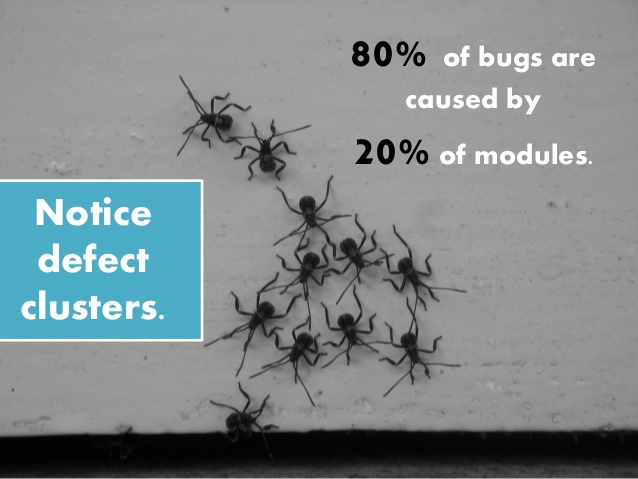
Defect clustering follows the Pareto rule that 80% of the defects are caused by 20% of the modules in the software. It’s imperative for a tester to know which 20% of modules have the most defects so that the maximum amount of effort can be spent there. That way, even if you don’t have a lot of time to test, hopefully, you can still find the majority of defects.

Once you know the defect cluster areas, testers can focus on containing the defects in their product in a number of ways. Continue Reading—>